
Manufacturing
Job Cards in ERPNext
ERPNext Job Cards help you assign and track tasks at each workstation, ensuring smooth execution of your Work Orders. Monitor labor, machine time, and progress in real time.
- Generate Job Cards automatically from Work Orders
- Assign operations to specific employees or workstations
- Record actual time taken for each task
- Track progress and completion of individual operations
- Capture costs for labor and machine usage
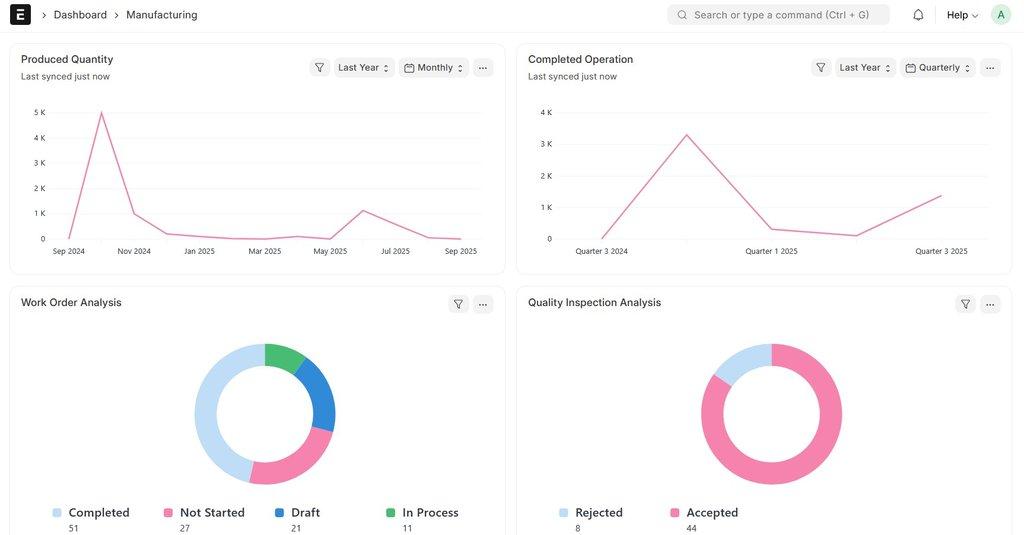
Task Allocation
Assign tasks directly to operators or machines, making sure each step in the production process is clearly defined.
Time Tracking
Capture start and end times for each operation, helping managers analyze efficiency and reduce downtime.
Operational Insights
Get detailed reports on employee productivity, machine utilization, and cost breakdown for better decision-making.
How job cards work in ERPNext
Work order is created
The work order lists the operations from the BOM routing, such as cutting, welding or packing.
Job cards are made
ERPNext creates one job card for each operation and workstation.
Operator starts the job
The operator starts the timer, records quantity done and any rejected quantity.
Job is completed
Time and quantity are saved. The next operation can start, and costs are updated on the work order.
Frequently asked questions
Can one operation be split across shifts or operators?
Yes. A job card can have several time logs, each with its own operator, start time and end time.
Can we record rejected quantity on a job card?
Yes. You can record good and rejected quantity separately, and add a quality inspection if needed.
Do job cards affect product cost?
Yes. Time recorded on job cards is multiplied by the workstation hour rate and added to the cost of the work order.
Related topics
See job cards working on your shop floor
We can set up a short demo with your own products and operations.
Book a Demo