
Manufacturing
Work Orders in ERPNext
Manage your manufacturing processes seamlessly with ERPNext Work Orders. Plan, track, and execute production with complete visibility into materials, operations, and timelines.
- Create Work Orders directly from Sales Orders or Production Plans
- Track raw material availability in real time
- Assign jobs to workstations and monitor progress
- Capture costs for labor, machines, and overheads
- Auto-generate Job Cards and streamline approvals
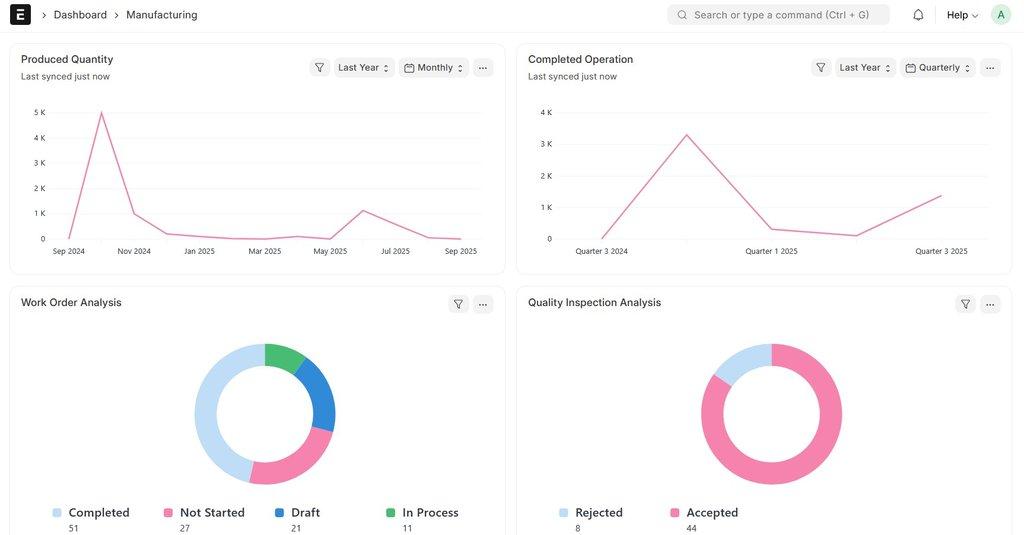
Simplify Production
Convert your production plan into executable Work Orders with just a few clicks. ERPNext handles Bill of Materials (BOM) mapping automatically.
Raw Material Tracking
Check material availability before production begins, ensuring smooth workflows without bottlenecks or shortages.
Real-time Progress
Monitor workstations, record time taken for operations, and track completion status in real time for better efficiency.
How a work order moves through ERPNext
Plan
Create the work order from a sales order, a production plan or by hand. ERPNext picks the default BOM.
Reserve and issue material
Raw materials are transferred from the store to the work-in-progress warehouse.
Produce
Operations are recorded through job cards, with time and quantity.
Finish
Finished goods are received into stock. Scrap and actual material use are recorded, and the cost is updated.
Frequently asked questions
Can we make partial production against a work order?
Yes. You can record finished goods in several lots. The work order stays open until the full quantity is made or you close it.
What if we use more or less material than the BOM?
You can change the quantity at the time of material transfer or manufacture. The real quantity is used for costing.
Can work orders be created automatically?
Yes. A production plan can create work orders for all finished and sub-assembly items in one step.
Related topics
Plan your production in ERPNext
Talk to us about setting up work orders for your products.
Book a Demo